Tags & collections
Group your finds by interest, project or anything that makes sense to you. Mark favorites and keep a Watch Later list.
YOUR PERSONAL SOCIAL INDEX
That photographer. That recipe creator. That account you meant to come back to.
FindDex gives the profiles you discover a place to stay. Save them, add a little context, and find them again long after the feed has moved on.
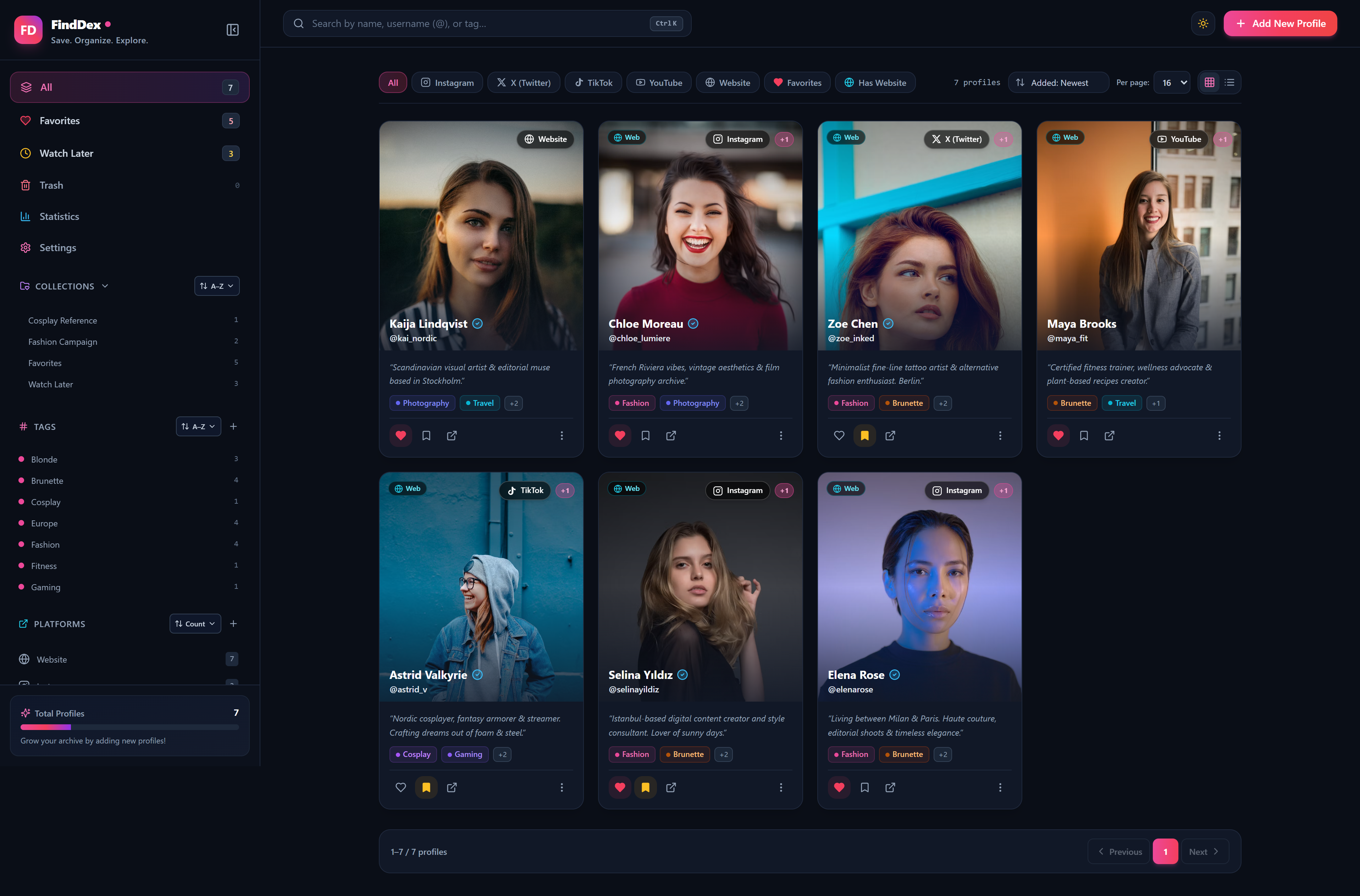
FROM A PASSING DISCOVERY TO A LASTING REFERENCE
You liked the post. Maybe you even followed the account. Weeks later, all you remember is “the person who made that recipe.” FindDex is a private, searchable archive of the people and ideas you discover online.
Add an account and its links, or capture an Instagram profile with the Chrome extension.
A note, a tag, a collection. Keep what made the account worth saving.
Search by name or tag, browse a collection, or describe what you remember with AI.
A SMALL HOME FOR A GROWING ARCHIVE
Keep profiles from Instagram, X, TikTok, YouTube and the web together, with multiple links for the same person.
Group your finds by interest, project or anything that makes sense to you. Mark favorites and keep a Watch Later list.
Keep multiple images with each profile, choose a cover and open a full-screen gallery. Add notes for the details you want to remember.
Removed a profile too soon? Soft deletion sends it to Trash, where you can restore it before permanently deleting it.
Bring records in or take them with you. Export JSON, or use a ZIP archive to include your uploaded images.
Save Instagram profiles and post thumbnails while browsing with the companion extension. Connect it to your own FindDex server.
A single-user archive you host yourself. Docker Compose runs the app with persistent storage for your database and uploaded images.
OPTIONAL · POWERED BY CLAUDE
You don’t always remember a handle. Turn on Search with AI, describe who you’re looking for, and let Claude find relevant profiles in your archive.
Uses the Anthropic API with your own key and API credits. Matching profiles appear in relevance order. Without a key, the AI button walks you through setup.
Read the AI setup guide“Find European
photographers.”
Describe the person.
Find the profile.
TAKE A CLOSER LOOK
Click a screenshot to see the full view.
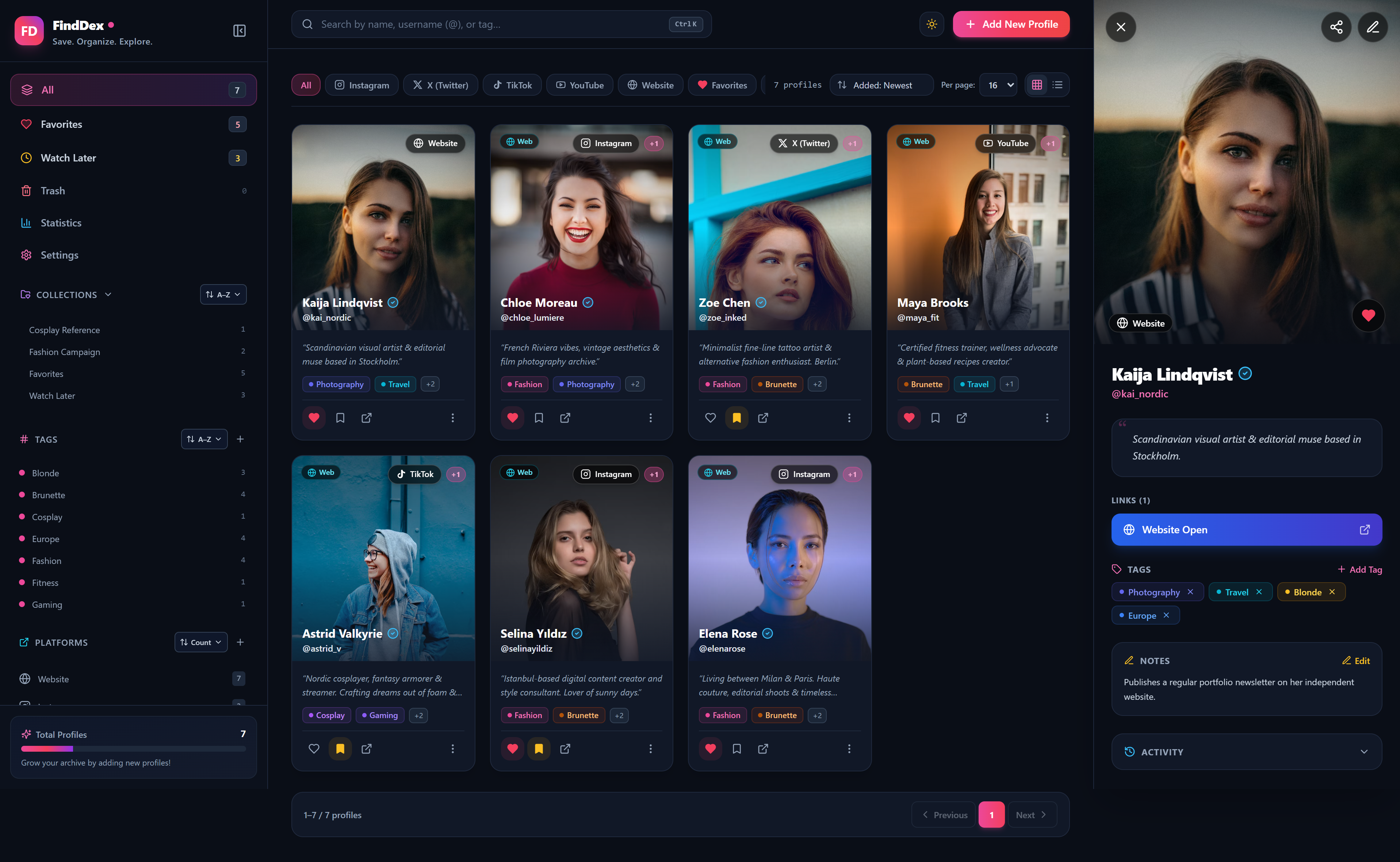
Images, links, tags and notes keep the whole profile together.
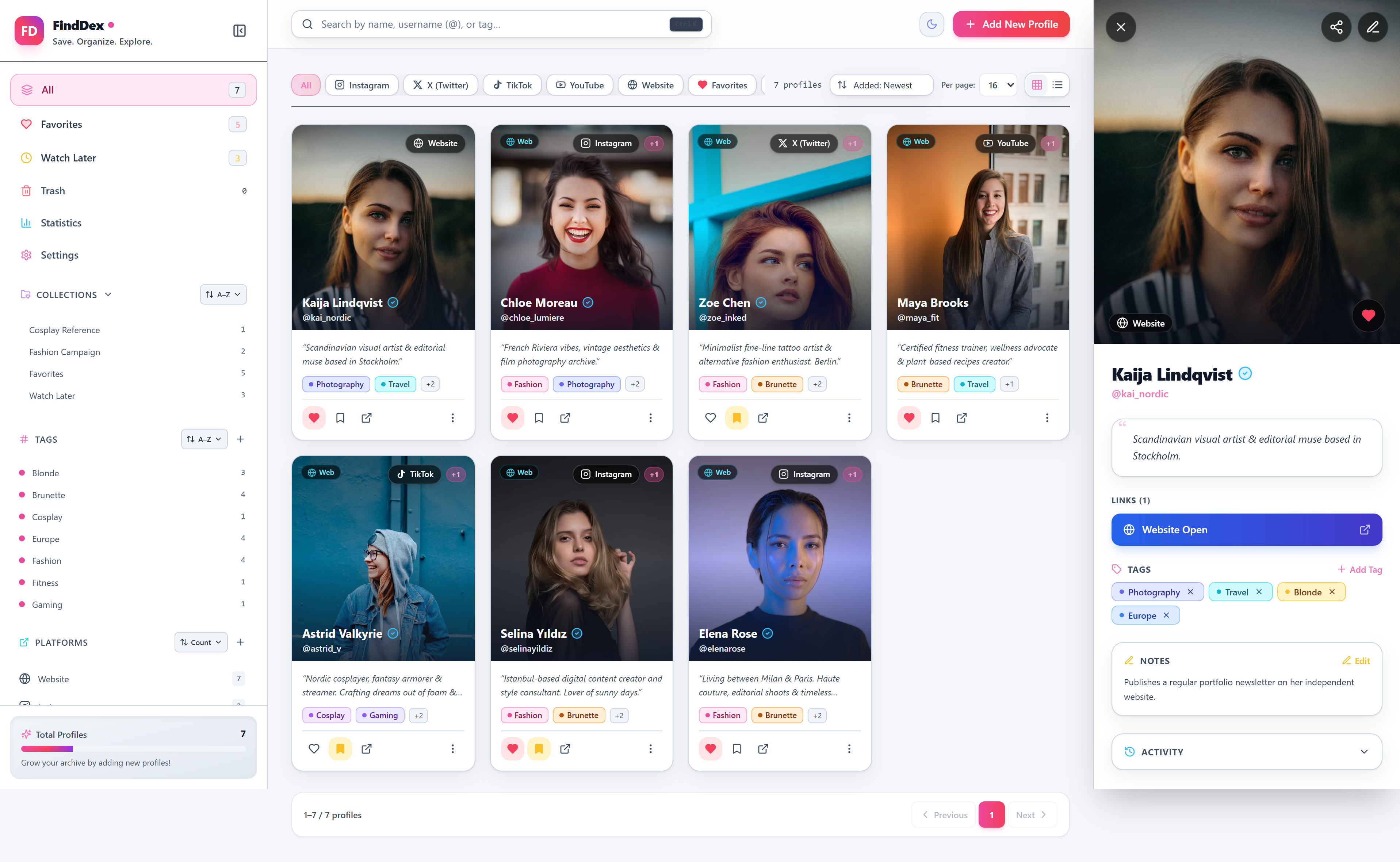
Light and dark themes. An English and Turkish interface.
YOUR ARCHIVE. YOUR SERVER.
Your database, uploaded images and backups stay on your own server. FindDex is self-hosted and built for one user.
AI search is optional. Profile text is sent to the Anthropic API only when you turn on AI search and submit a query. This includes names, usernames, bios, notes, tags, collections and platform names, along with your search query. Image paths and dates are not sent.
Your Anthropic API key stays on the server. Regular keyword search does not use the Anthropic API. The connection test sends a small test message, with no profile data.
READY WHEN YOU ARE
Get Docker Engine and Docker Compose v2, clone the repository, and start your own archive.
Full installation guide# Get FindDex
git clone https://github.com/pcaglar/FindDex.git
cd FindDex
# First install: create your configuration
cp .env.example .env
# Build and start
docker compose up -d --buildOpen http://localhost:12000 after startup.
On an existing installation, keep your current .env.
LET’S KEEP IN TOUCH
Find the project on GitHub or get in touch by email.